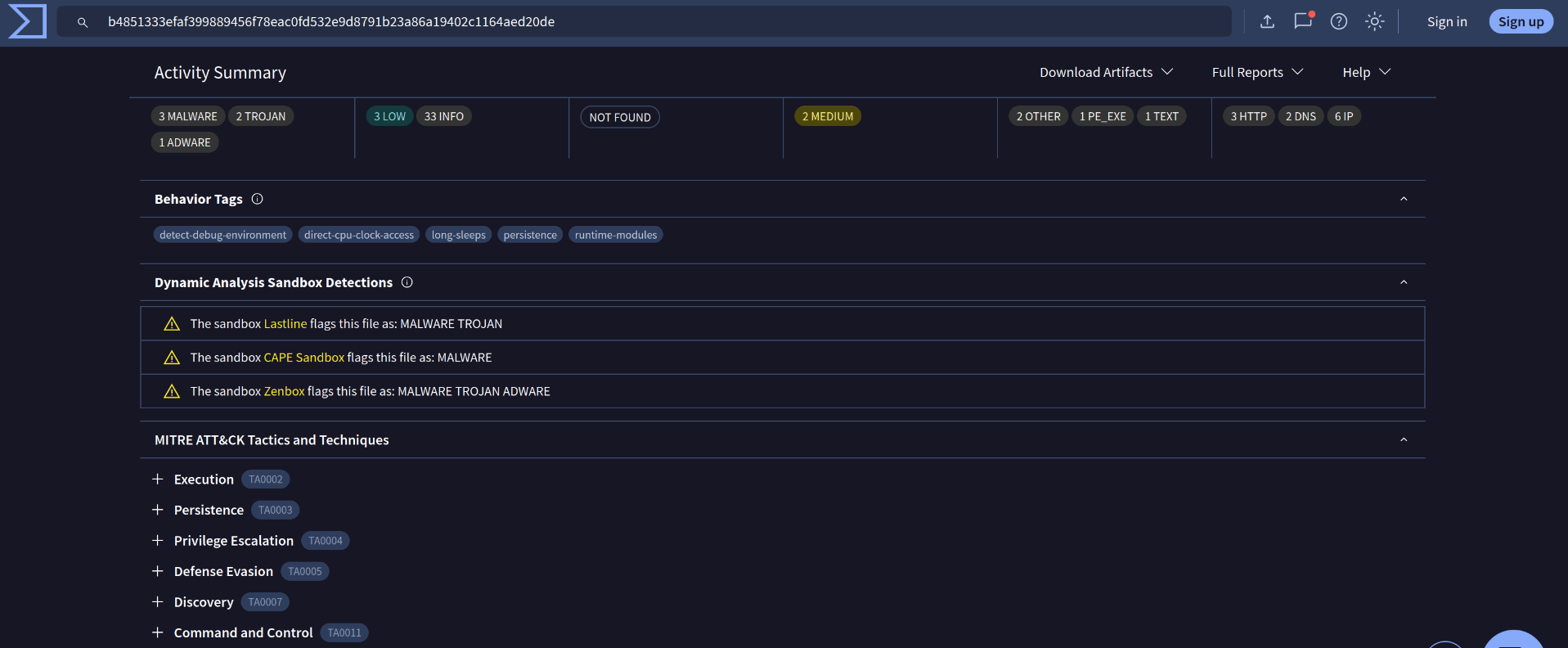
1. Investigate the DNS queries
Command: tshark -r directory-curiosity.pcap -T fields -e dns.qry.name | awk NF | sort -r | uniq -c | sort -r
Answer: xxx-xxxxxxx[.]xxx

Command: tshark -r directory-curiosity.pcap -T fields -e dns.qry.name | awk NF | sort -r | uniq -c | sort -r
Answer: xxx-xxxxxxx[.]xxx
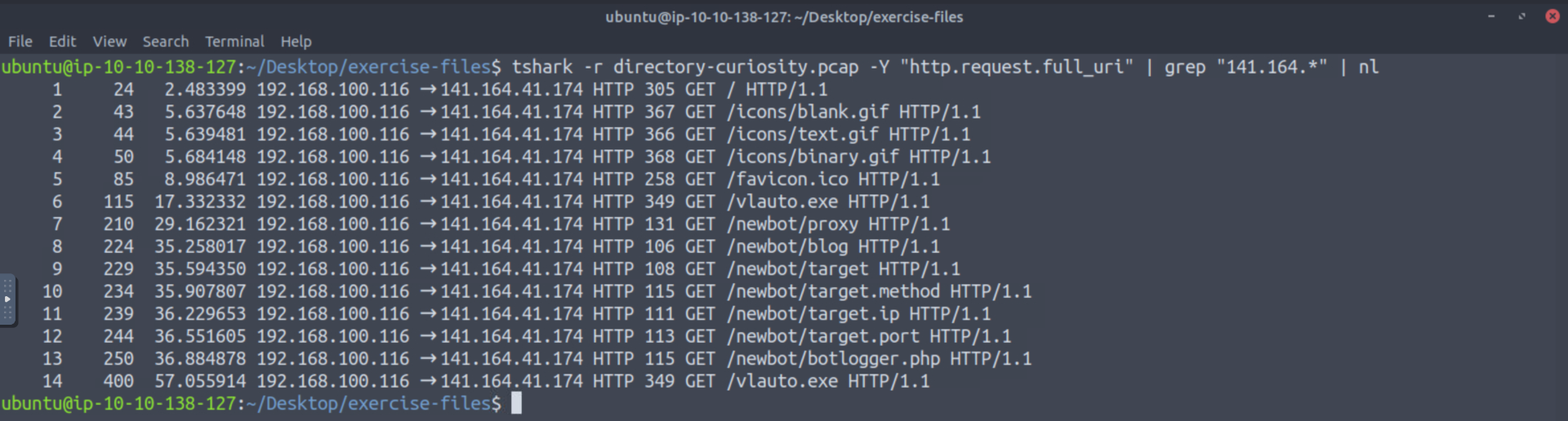
Command: tshark -r directory-curiosity.pcap -Y "http.request.full_uri" | grep "141.164.*" | nl
Answer: xx
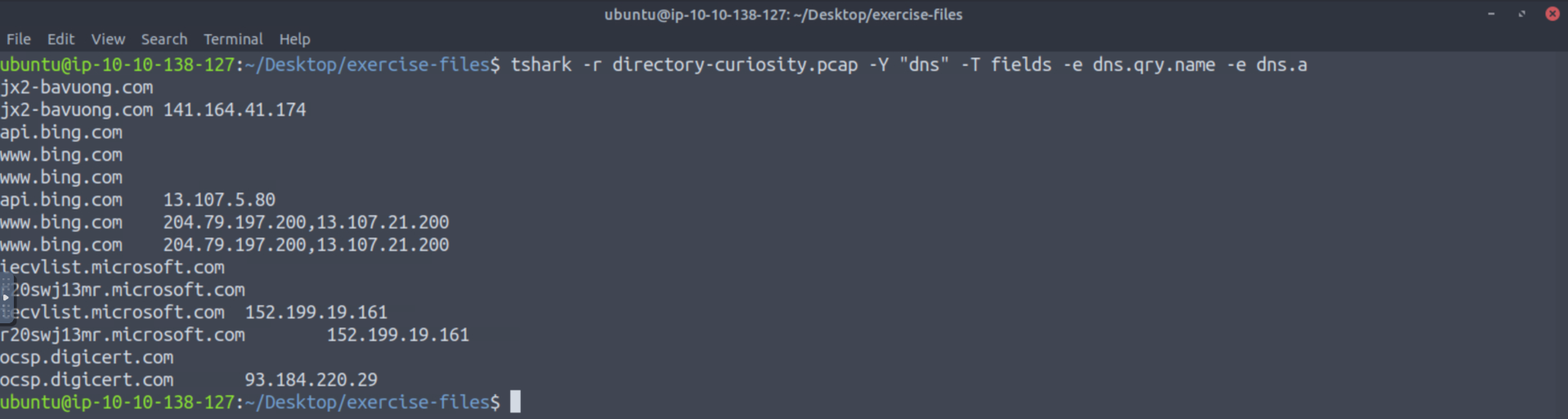
Command: tshark -r directory-curiosity.pcap -Y "dns" -T fields -e dns.qry.name -e dns.a
Answer: xxx[.]xxx[.]xx[.]xxx
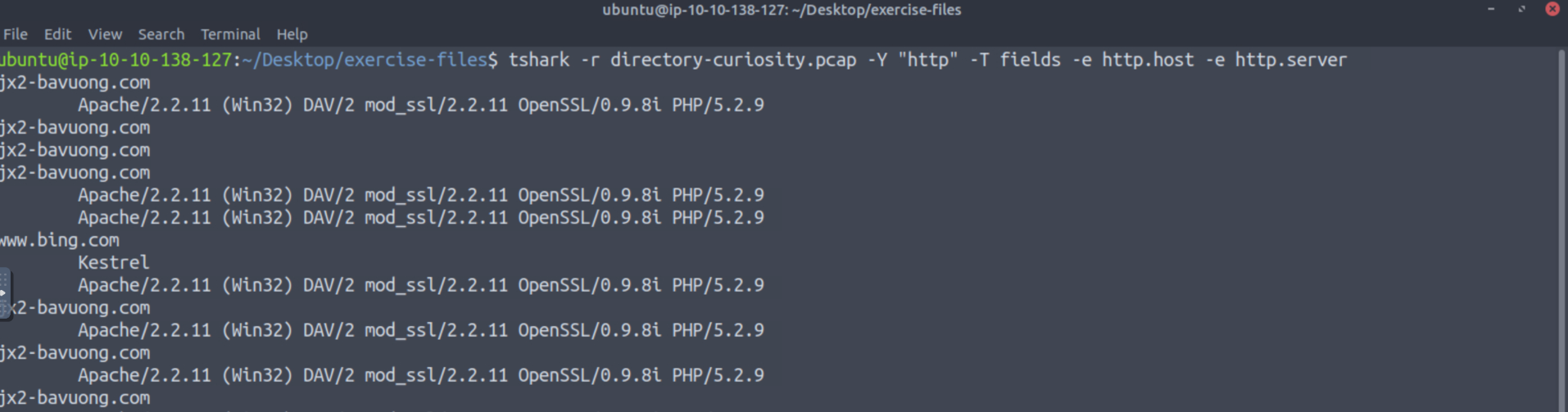
Command: tshark -r directory-curiosity.pcap -Y "http" -T fields -e http.host -e http.server -e http.user_agent
Answer: xxxxxx/x.x.xx (xxxxx) xxx/x xxx_xxx/x.x.xx xxxxxxx/x.x.xx xxx/x.x.x
Command: tshark -r directory-curiosity.pcap -z follow,tcp,ascii,0 -q
Answer: x
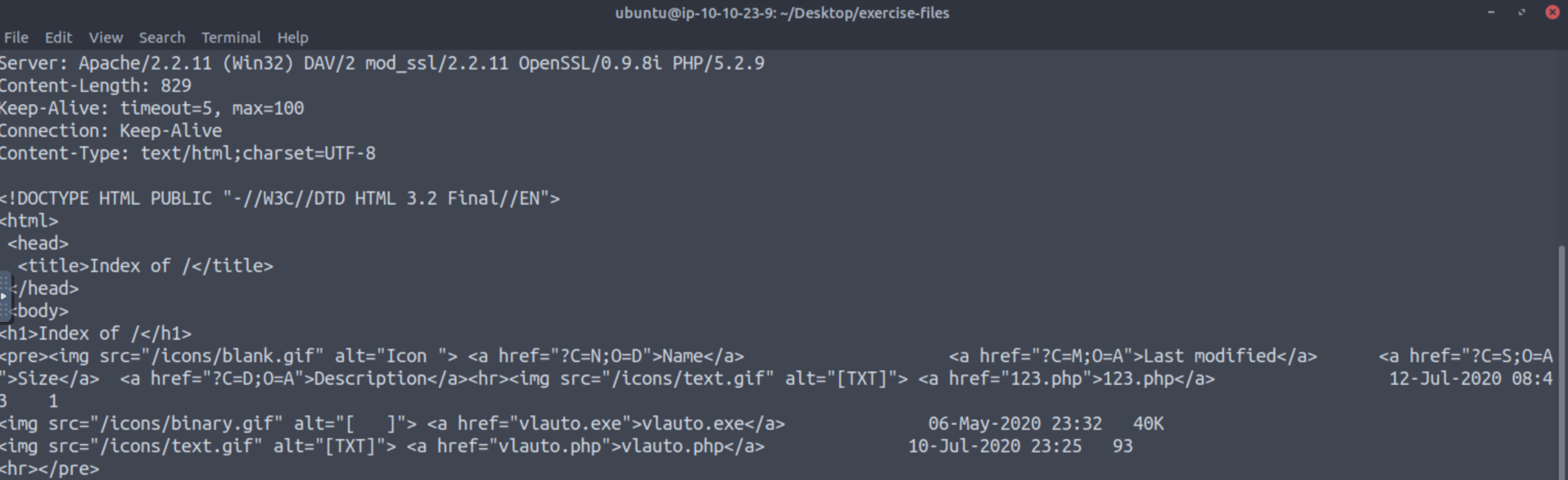
Command: tshark -r directory-curiosity.pcap -z follow,tcp,ascii,0 -q
Answer: xxx[.]xxx
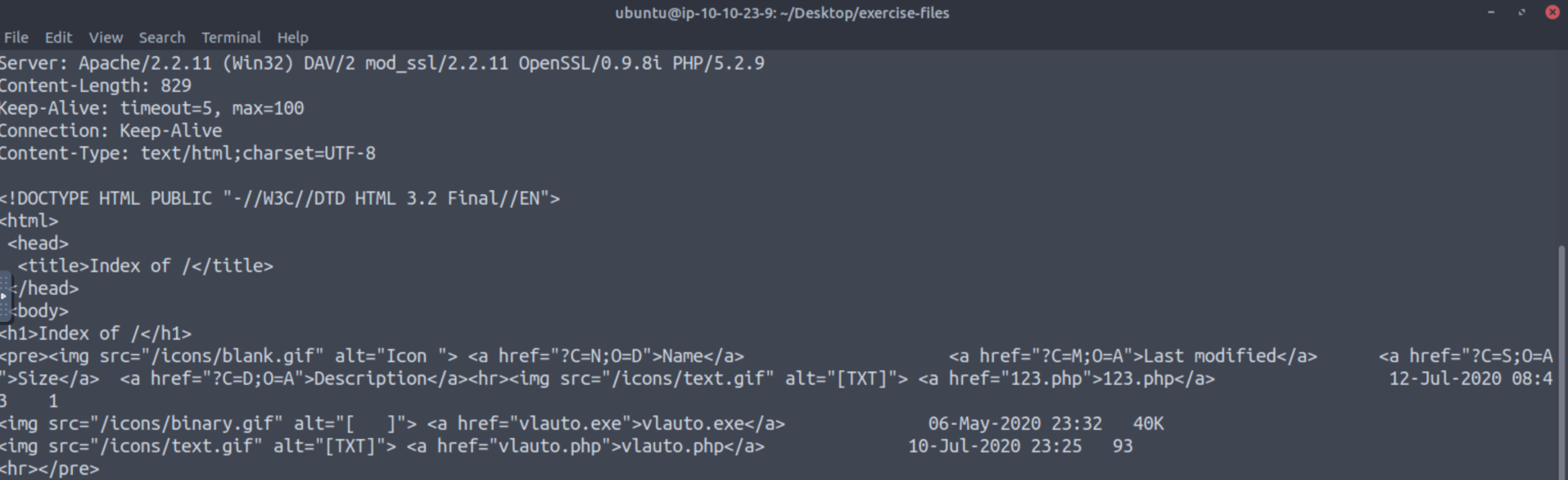
Command: tshark -r directory-curiosity.pcap --export-objects http,/home/ubuntu/Desktop/extracted-by-tshark -q
Answer: xxxxxx[.]xxx

Command: sha256sum vlauto.exe
Answer: xxxxxxxxxxxxxxxxxxxxxxxxxxxxxxxxxxxxxxxxxxxxxxxxxxxxxxxxxxxxxxxx

Answer: .xxx xxxxxxxxxx
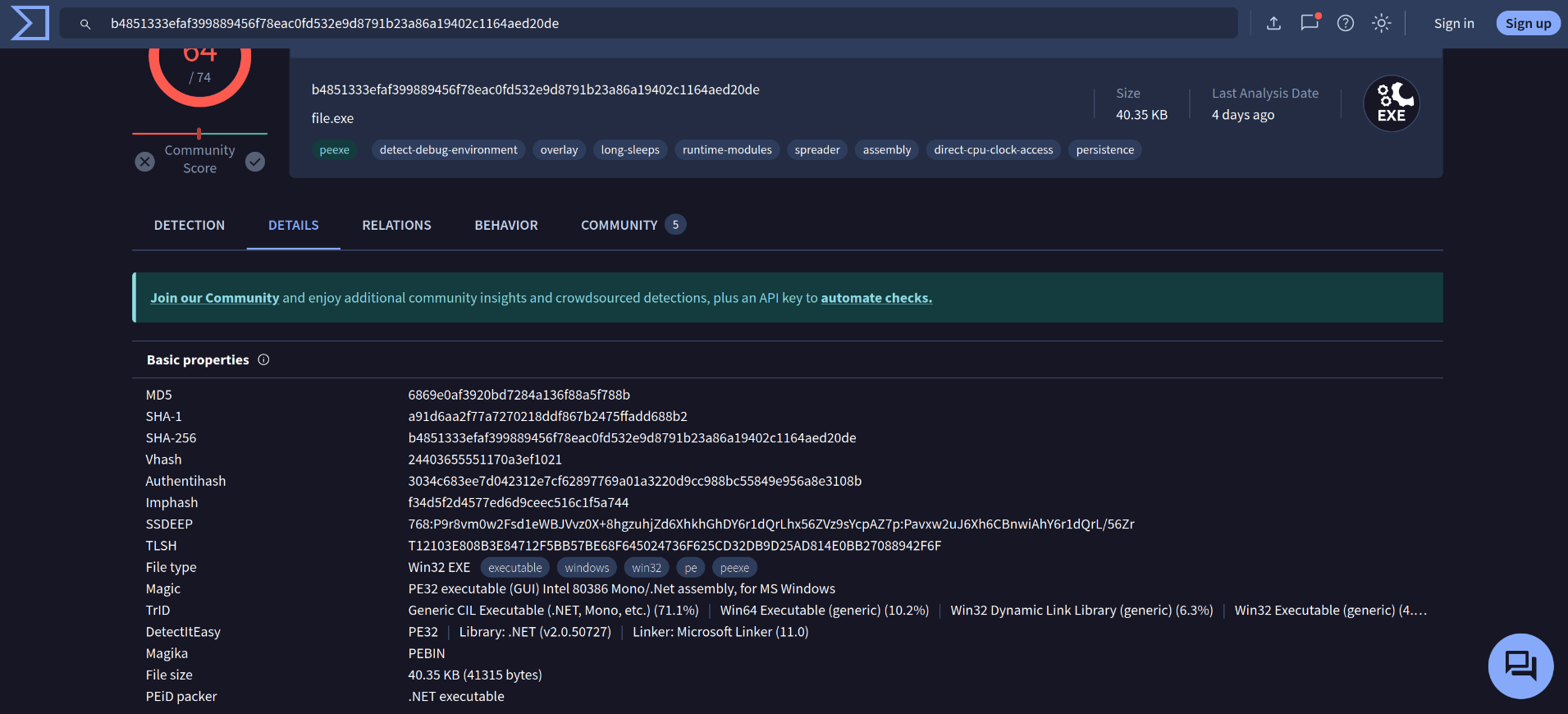
Answer: xxxxxxx xxxxxx