Rootkits are malicious software that allow attackers to hide their presence, evade detection, and maintain persistent access on compromised systems. Linux systems are not immune, and even well configured hosts can be at risk if proper monitoring is not in place. Two widely used tools for detecting rootkits are chkrootkit and rkhunter. They provide fast, reliable checks for known rootkits, suspicious files, modified binaries, and unexpected hidden directories. Understanding how to use these tools is important for CySA+ candidates and professional security analysts alike.
This guide walks through installing, configuring, and running chkrootkit and rkhunter. It also demonstrates safe methods to generate alerts for training or demonstration purposes. All examples are safe to run in isolated lab environments or virtual machines.
Installing chkrootkit
chkrootkit is included in most Linux repositories. Installing it on Debian or Kali systems is straightforward:
sudo apt update
sudo apt install chkrootkit -y
After installation, you can perform a quick scan:
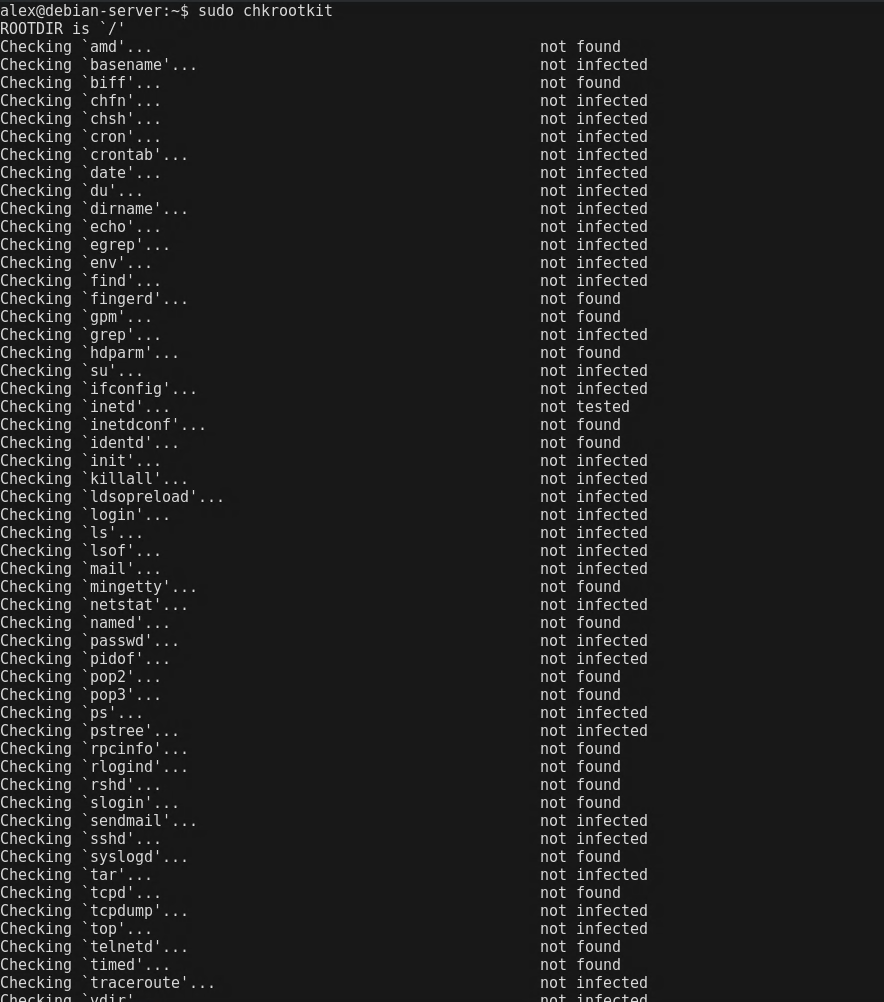
sudo chkrootkit
The tool scans for common rootkits, suspicious hidden directories, and unusual binaries. It also checks network interfaces and system commands for signs of compromise. Output will clearly indicate whether each test is clean or if a warning has been detected.
Running chkrootkit to check for rootkits and suspicious files.
Installing and Configuring rkhunter
rkhunter, or Rootkit Hunter, is another popular tool for Linux host integrity checks. It scans for hidden files, unexpected permissions, modified binaries, and suspicious kernel modules. To install:
sudo apt install rkhunter -y
Before performing a full system check, it is important to update the baseline. This allows rkhunter to detect future changes accurately:
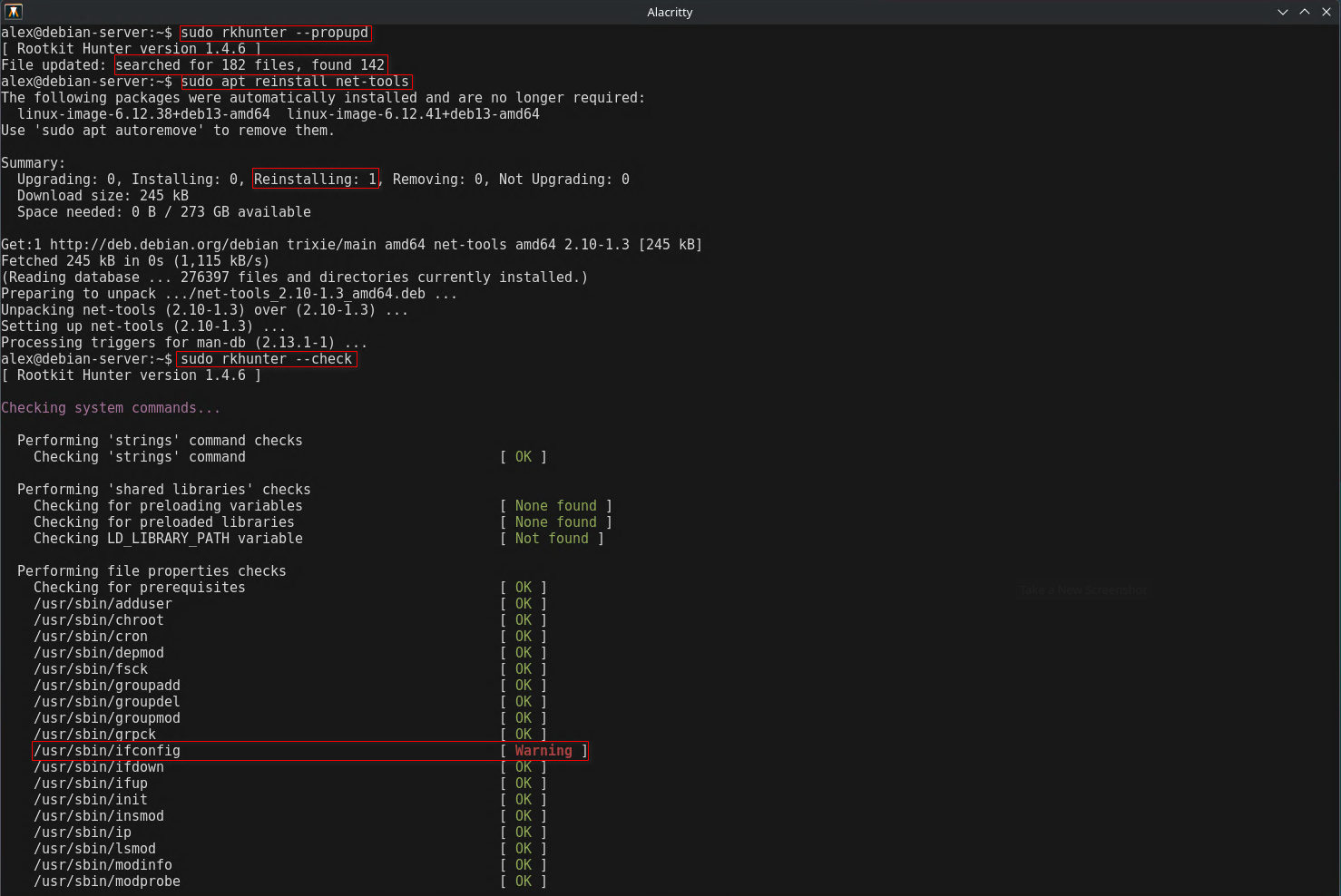
sudo rkhunter --propupd
Once the baseline is updated, run a full system scan:
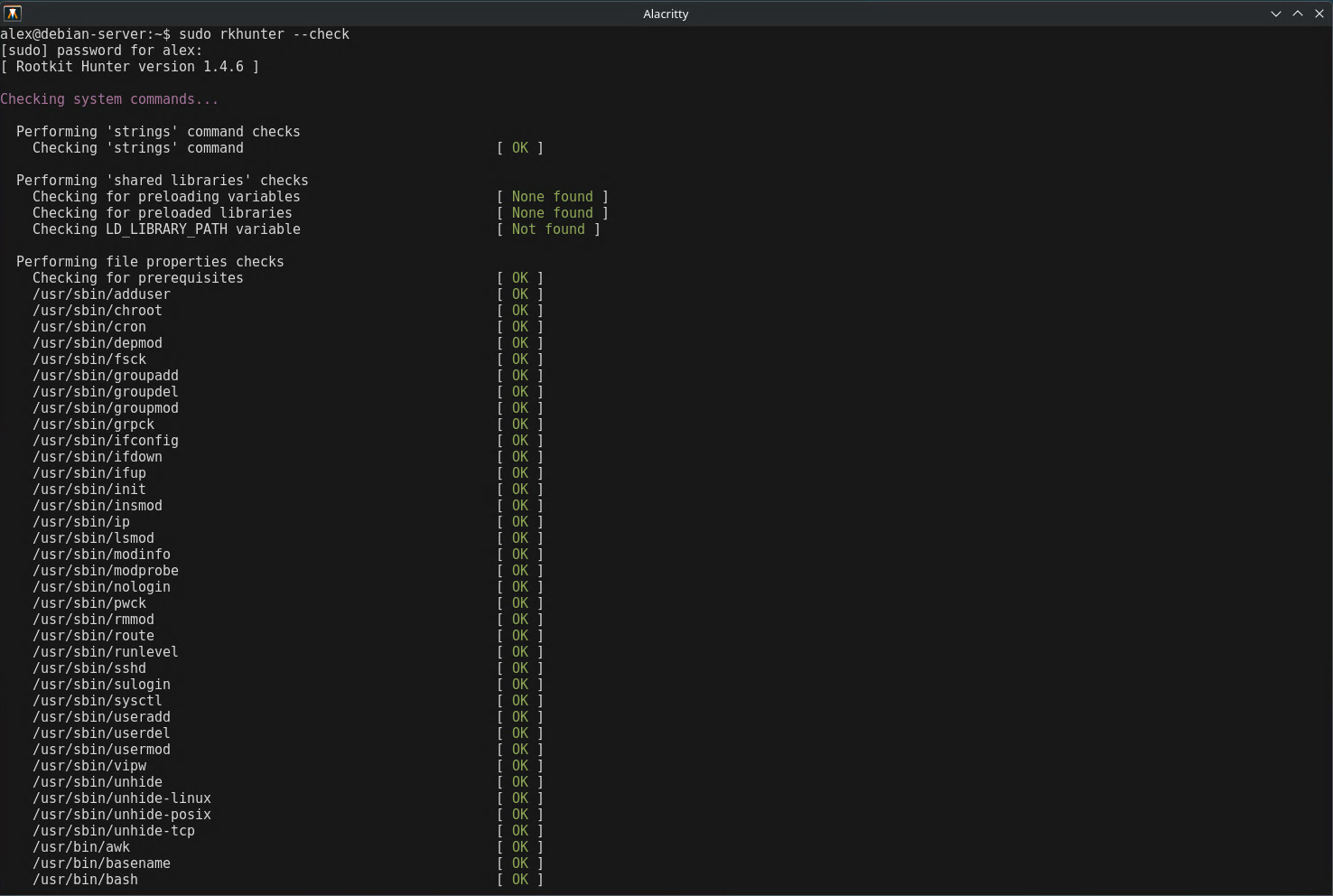
sudo rkhunter --check
The output highlights any files or directories that have changed, any hidden files found, and other anomalies. Analysts can use this to identify possible compromise and validate system integrity.
Performing a full system scan with rkhunter to detect anomalies.
Generating Safe Test Alerts
For training or documentation purposes, you can generate alerts without exposing the system to actual malware. For chkrootkit, creating a hidden directory is enough to trigger a warning:
sudo mkdir /dev/.testitem
sudo chkrootkit
This produces a warning because chkrootkit expects rootkits to hide files in locations such as /dev. The directory itself is harmless and can be removed after testing.
For rkhunter, installing system updates after setting a baseline will trigger alerts due to changed file properties:
This reliably produces warnings such as changed file permissions or modified binaries.
rkhunter warning triggered for ifconfig after re-installing net-tools, demonstrating detection of modified system files.
Why These Tools Matter
Rootkit detection is a core skill for CySA+ and practical security operations. chkrootkit provides quick checks for common issues, while rkhunter provides detailed scans and tracks changes over time. By using both tools, analysts can maintain system integrity, detect hidden compromises, and develop a clear understanding of what normal system behavior looks like. Interpreting alerts properly is essential because not every warning indicates a compromise. Analysts must correlate findings with logs, configuration changes, and system updates to determine the true risk.
Regular use of these tools strengthens defensive capabilities, helps prepare for incident response, and reinforces best practices in host monitoring. Learning how to generate safe alerts also allows analysts to create training materials, capture screenshots, and demonstrate detection methods without introducing real threats. Mastery of chkrootkit and rkhunter is a practical step toward developing deeper Linux security expertise and improving threat detection skills.