Kernel modules are pieces of code that can be dynamically loaded and unloaded into the Linux kernel at runtime. They extend kernel functionality such as device drivers, filesystems, and network stacks. While they are powerful and essential, they also introduce one of the most privileged and least monitored attack surfaces in Linux systems.
For cybersecurity analysts, understanding how kernel modules work, how to monitor them, and how to detect malicious or unauthorized ones is critical. Many advanced attacks leverage kernel modules to gain stealthy persistence and bypass traditional security tools.
What Are Kernel Modules?
The Linux kernel is monolithic, meaning all essential functionality runs in kernel space. Loading every possible feature at once would make the kernel massive, slow, and inefficient. Linux solves this problem with loadable kernel modules, which are compiled code snippets that can be dynamically loaded as needed.
Examples include:
e1000e.ko (Intel Ethernet driver)
nvidia.ko (NVIDIA GPU driver)
vboxdrv.ko (VirtualBox kernel module)
These modules typically reside in /lib/modules/<kernel-version>/kernel/ and are automatically loaded by the kernel or manually via insmod or modprobe.
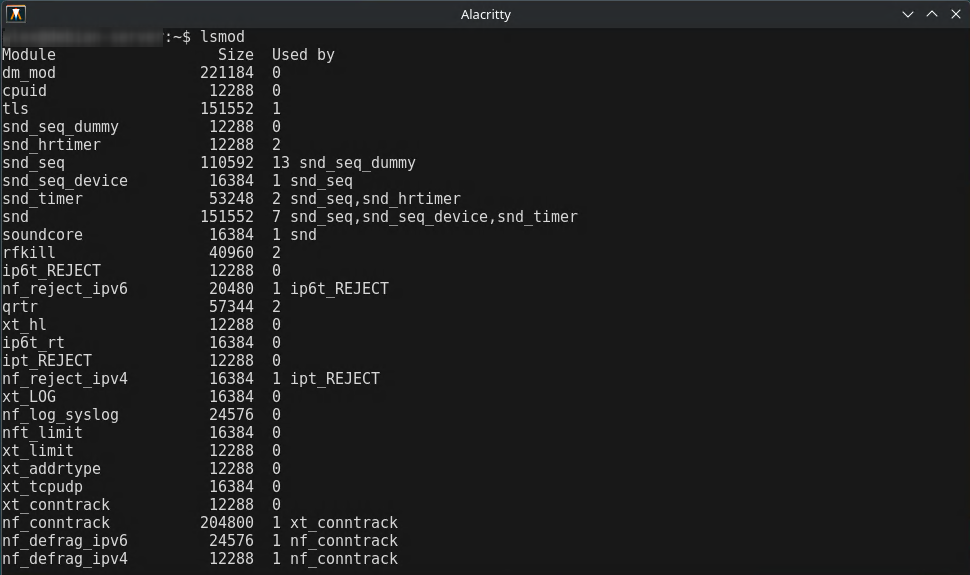
lsmod
Screenshot showing the lsmod output of currently loaded kernel modules. Analysts can use this to compare running modules against a known baseline.
Why Kernel Modules Matter in Security
Kernel modules operate at the highest privilege level in Linux. This allows them to intercept system calls, modify kernel structures, hide processes, manipulate network traffic, and even disable security monitoring tools. Malicious modules are therefore an attractive vector for attackers looking to maintain stealthy persistence on a system.
For cybersecurity professionals, this means that kernel modules must be monitored closely. An unauthorized module can indicate the presence of a rootkit or other sophisticated malware attempting to hide its activity.
Malicious Kernel Modules: A Classic Rootkit Example
A malicious actor with root privileges could load a kernel module that hides their presence or exfiltrates sensitive data:
insmod evil.ko
The malicious module could:
Hook /proc filesystem calls to hide specific process IDs
Modify /net stack functions to conceal TCP connections
Disable monitoring tools like auditd or fail2ban
list_del(&THIS_MODULE->list);
This removes the module from lsmod and /proc/modules, making it invisible to standard inspection tools.
Detecting Hidden or Unauthorized Modules
Analysts can use several techniques to identify suspicious activity:
1. Compare /proc/modules and lsmod output
cat /proc/modules
lsmod
2. Check dmesg logs
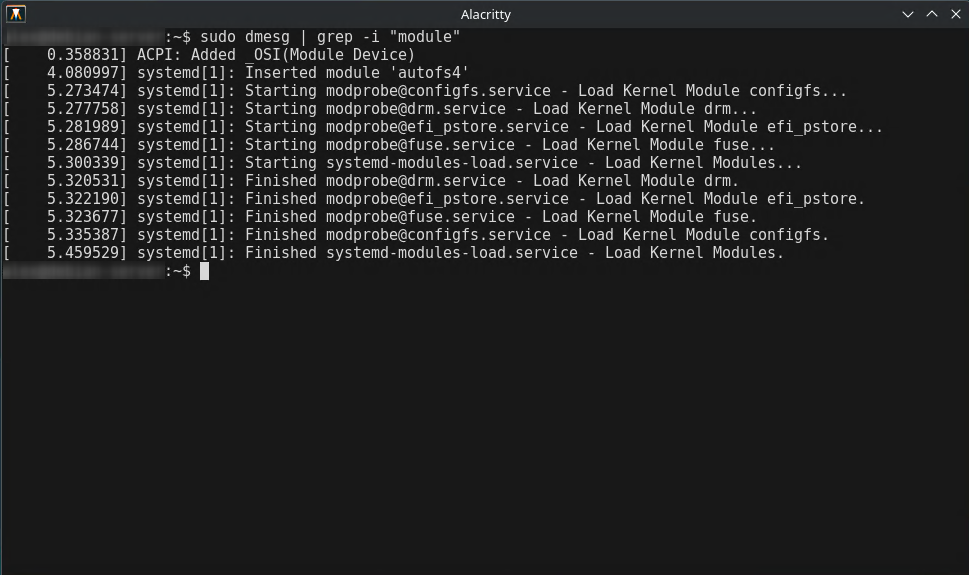
dmesg | grep -i "module"
Screenshot showing dmesg output with kernel module load events. Analysts can detect unusual module activity or unauthorized loads.
Importance for CySA+ Students and Cybersecurity Professionals
Understanding Linux kernel modules is crucial for CySA+ students and cybersecurity professionals. Since kernel modules operate at the highest privilege level, they can be exploited to hide malware, bypass security controls, or manipulate system behavior. CySA+ candidates are expected to know how to monitor, detect, and respond to unauthorized kernel module activity. Professionals must identify suspicious modules, verify signatures, and respond appropriately to maintain system integrity. Mastery of these concepts enhances an analyst's ability to defend Linux environments and supports incident response investigations in real-world operations.