Rogue network connections are a common indicator of compromise. A process that should not be talking to the internet, a long lived outbound connection to an unknown IP address, or a suspicious listener on a non standard port are all red flags. For analysts working on Linux hosts, being able to quickly find and triage these connections is essential. This article covers practical commands, investigation steps, and example workflows you can use on Kali, Debian, or REMnux to locate suspicious network activity, attribute it to a process, capture evidence, and take remediation steps.
Identify Listening Services
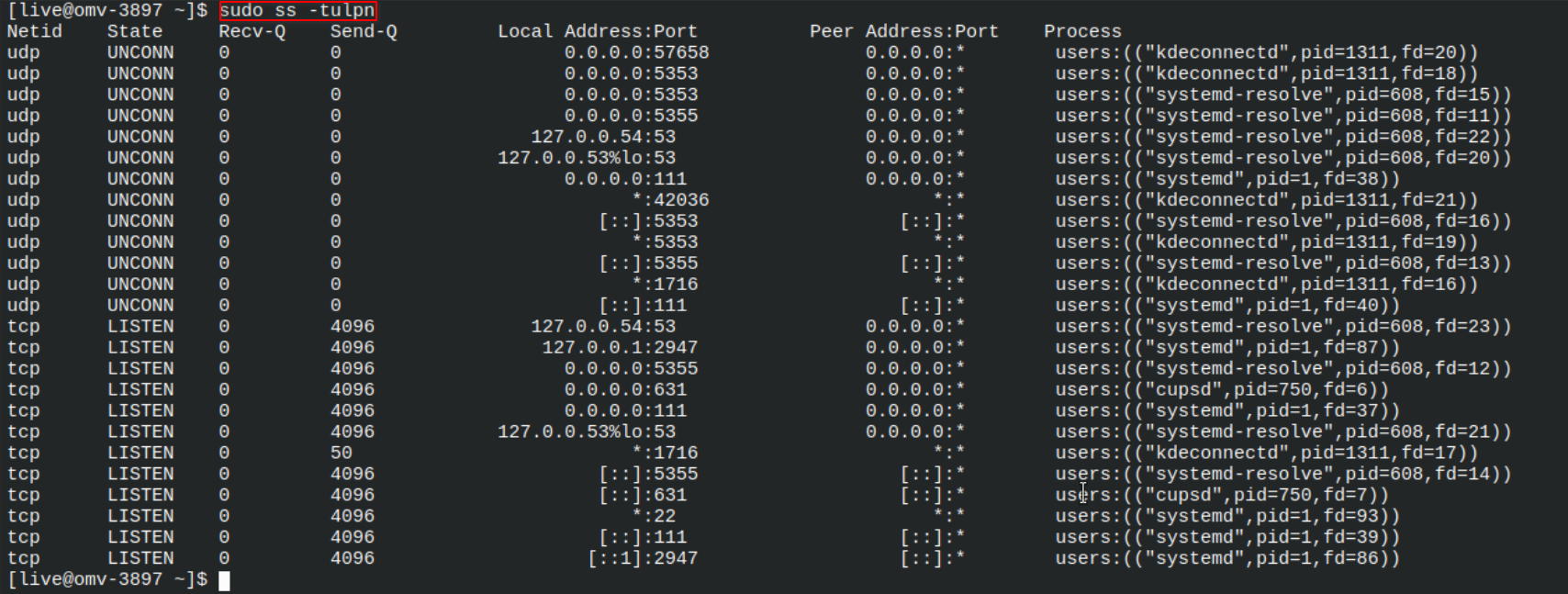
Start with local listening sockets to discover services that accept inbound connections. The following command shows TCP and UDP listeners with process IDs and program names:
sudo ss -tulpn
Alternatively, lsof can tie network sockets to files and processes:
sudo lsof -i -Pn
Look for unexpected listeners on high ports or services that should not be running. If a listener has no clear parent process or uses an unusual binary, mark it for deeper inspection.
Listing listening sockets with ss to find unexpected services and their PIDs.
Detect Outbound Connections
Outbound connections are often how compromised hosts contact command and control infrastructure. To view current outbound connections, run:
sudo ss -tunp
Or use netstat if available:
sudo netstat -tunp
Focus on remote IPs, long connection durations, and unfamiliar remote ports. Pay attention to processes that repeatedly connect to many IPs in short time windows. Those patterns often indicate scanning, exfiltration, or botnet activity.
Inspecting established connections to find unusual remote addresses and long lived sessions.
Attribute Connections to Processes
Once you identify a suspicious socket, determine which process owns it. Use the PID from ss or lsof and inspect the process details:
ps -fp
sudo ls -l /proc//exe
sudo cat /proc//cmdline
Check the executable path, command line arguments, and parent process. If the binary is in an unusual location or the command line is obfuscated, collect the binary for offline analysis and continue investigation. Use file and sha256sum to fingerprint the file before moving it.
Capture Network Traffic for Evidence
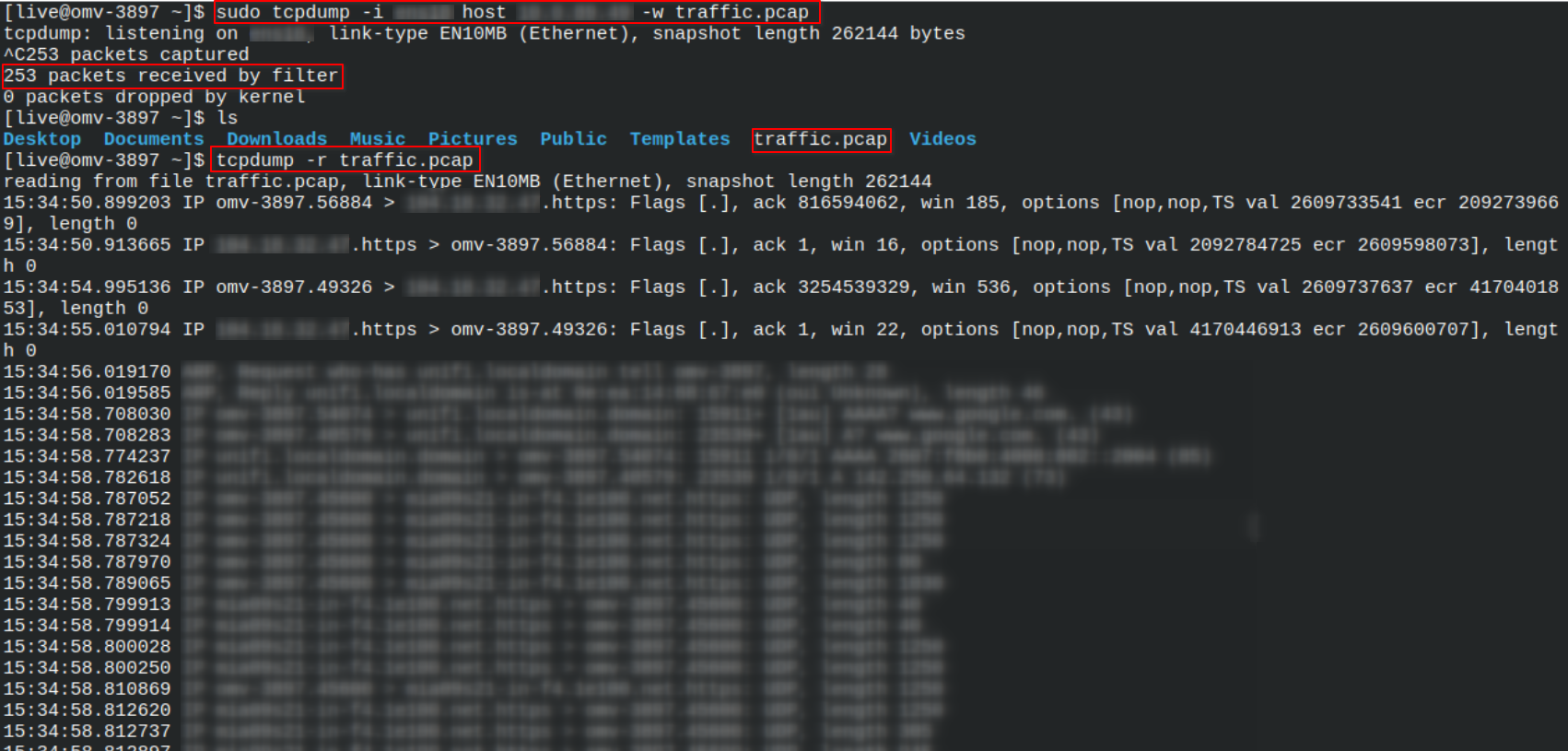
When you need packet level evidence, capture traffic with tcpdump. Capture only what you need to reduce storage and avoid sensitive data exposure:
sudo tcpdump -i eth0 host -w suspect.pcap
Or filter by source process using the port you identified. Open the capture in Wireshark or tshark to follow TCP streams, extract files, or inspect payloads. Keep a hash of the pcap for chain of custody:
sha256sum suspect.pcap > suspect.pcap.sha256
Packet captures are powerful for showing exactly what data was sent or received and are useful when escalating incidents to teams that perform network level analysis.
Capturing network traffic on the local system for a suspicious connection to a remote host.
Detect Hidden or Persisting Connections
Some adversaries hide connections by injecting into trusted processes or using kernel modules. Check for discrepancies between process lists and network sockets. For example, compare ss output to ps and look for sockets owned by processes that do not match the expected executable. Also check for unusual kernel modules with:
sudo lsmod
sudo modinfo
Monitor for processes that respawn after termination using a looped watch on ss or by enabling audit rules to capture execve events for suspicious executables.
Containment and Remediation
When you confirm a rogue connection, isolate the host to prevent further communication. Use firewall rules to block the remote IP and stop the offending process. Example firewall command:
sudo iptables -A OUTPUT -d -j DROP
Then collect volatile data such as process lists, network sockets, and packet captures for post incident analysis. If malware is suspected, preserve binaries and system snapshots, and follow your organization incident response plan to escalate and remediate.
Relevance for CySA+ and Analysts
Detecting and analyzing rogue network connections is a core skill for CySA+ exam objectives and real world SOC work. These techniques help analysts validate alerts, perform quick investigations, and gather evidence for escalation. By practicing the commands and workflows described here, analysts will be able to move from detection to containment quickly, improving response time and reducing potential impact.
Regularly automate baseline checks and integrate the outputs into your SIEM to catch anomalies faster. Combining host level visibility with network captures produces a fuller picture and helps teams make better remediation decisions.