In digital forensics and incident response, memory is one of the most valuable sources of volatile evidence. It contains running processes, open network connections, encryption keys, injected code, and attacker tools that never touch disk. Capturing a live memory image allows analysts to reconstruct the state of a compromised Linux system at the exact time of investigation.
This guide walks through capturing a full system memory dump on Linux using LiME (Linux Memory Extractor). LiME is a kernel module that lets you safely acquire memory without shutting down or altering disk data. The resulting dump can be analyzed using tools such as Volatility or Volatility 3.
Why Memory Acquisition Matters
Most malware and attacker techniques rely on runtime activity things that vanish after a reboot. Traditional disk forensics won’t reveal this data. Memory acquisition bridges that gap, allowing analysts to detect:
Processes and kernel modules that hide from ps or lsmod
Network sockets belonging to unknown processes
Command-line arguments of suspicious binaries
Plaintext passwords, cryptographic keys, and injected payloads
For CySA+ students and professionals, mastering memory forensics is a key skill for threat detection, response, and incident validation.
Preparing the Target System
Before capturing memory, ensure your target system is isolated and write output to a trusted location. You’ll need:
Root or sudo privileges
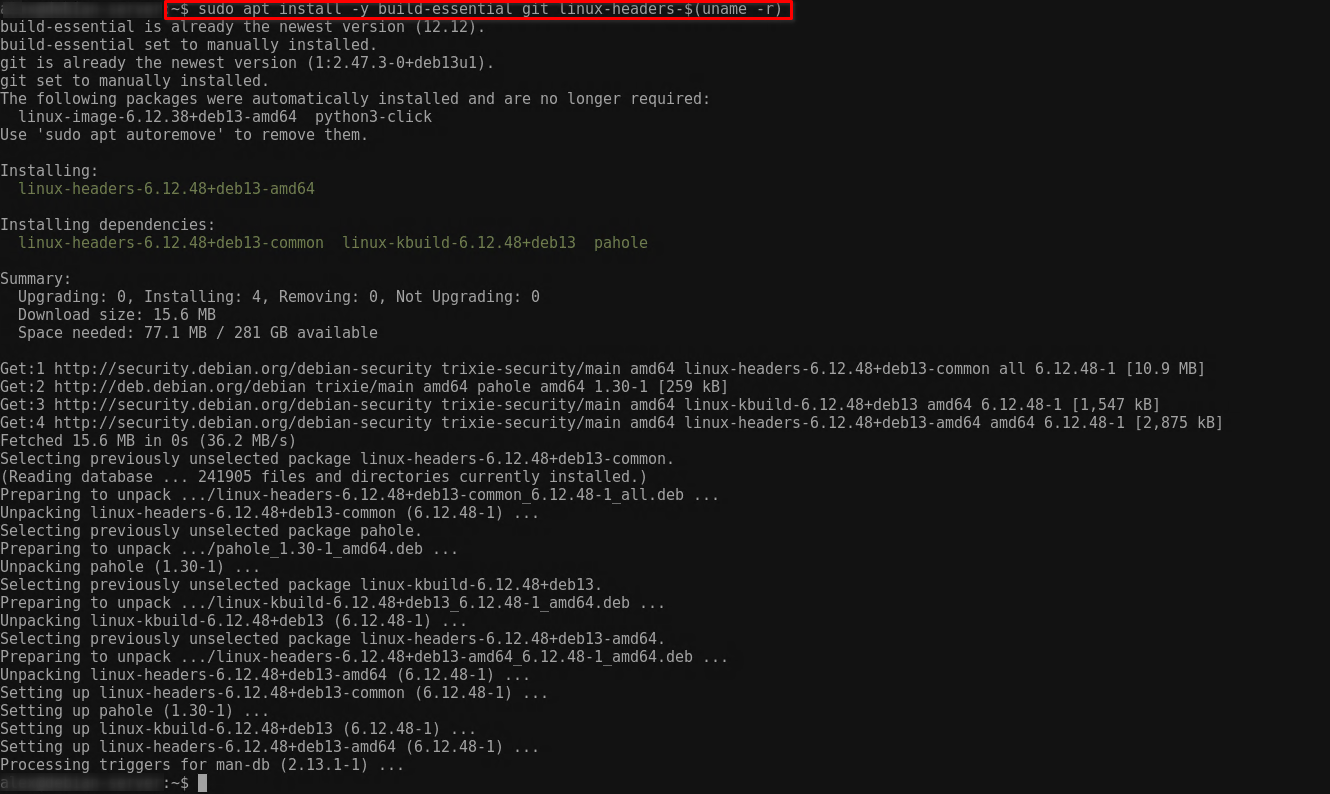
Linux kernel headers installed (uname -r must match)
Build tools such as make and gcc
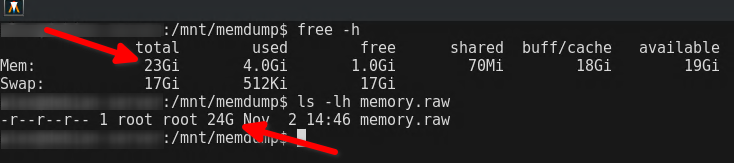
Enough free space to store a dump roughly equal to system RAM
Header mismatch: Ensure kernel headers match uname -r.
Permission errors: Run all commands with root privileges.
Output truncated: Use an external disk or NFS share if space is limited.
System freeze: Avoid capturing on busy production servers.
Relevance for CySA+ and Security Analysts
Memory acquisition and analysis are central skills for CySA+ candidates and professional security analysts alike. Beyond exam objectives, these techniques provide real-world capabilities for identifying and investigating in-memory threats, including rootkits, credential theft, malicious injected code, and advanced malware that never touches disk. Analysts who are proficient in tools like LiME and Volatility can quickly reconstruct the state of a compromised system, correlate runtime processes with network activity, and validate whether an attack impacted sensitive systems. Moreover, memory forensics complements traditional disk-based analysis, providing a more complete picture of an incident. Understanding how to capture, verify, and securely transfer memory images also reinforces evidence handling best practices, helping ensure chain-of-custody integrity and reproducibility in investigations. In practical terms, these skills enable analysts to respond to active threats without causing undue system disruption, interpret volatile data accurately, and support incident response decisions with confidence. Mastery of live memory acquisition demonstrates both technical competence and forensic readiness, bridging theory with actionable defensive and investigative capabilities.